

Guide
Yumbo 101: Getting started
Is Yumbo an app? Why isn’t it in the App Store? How to put it on your home screen, and how to find your way around.
3 min read 5item150 XP
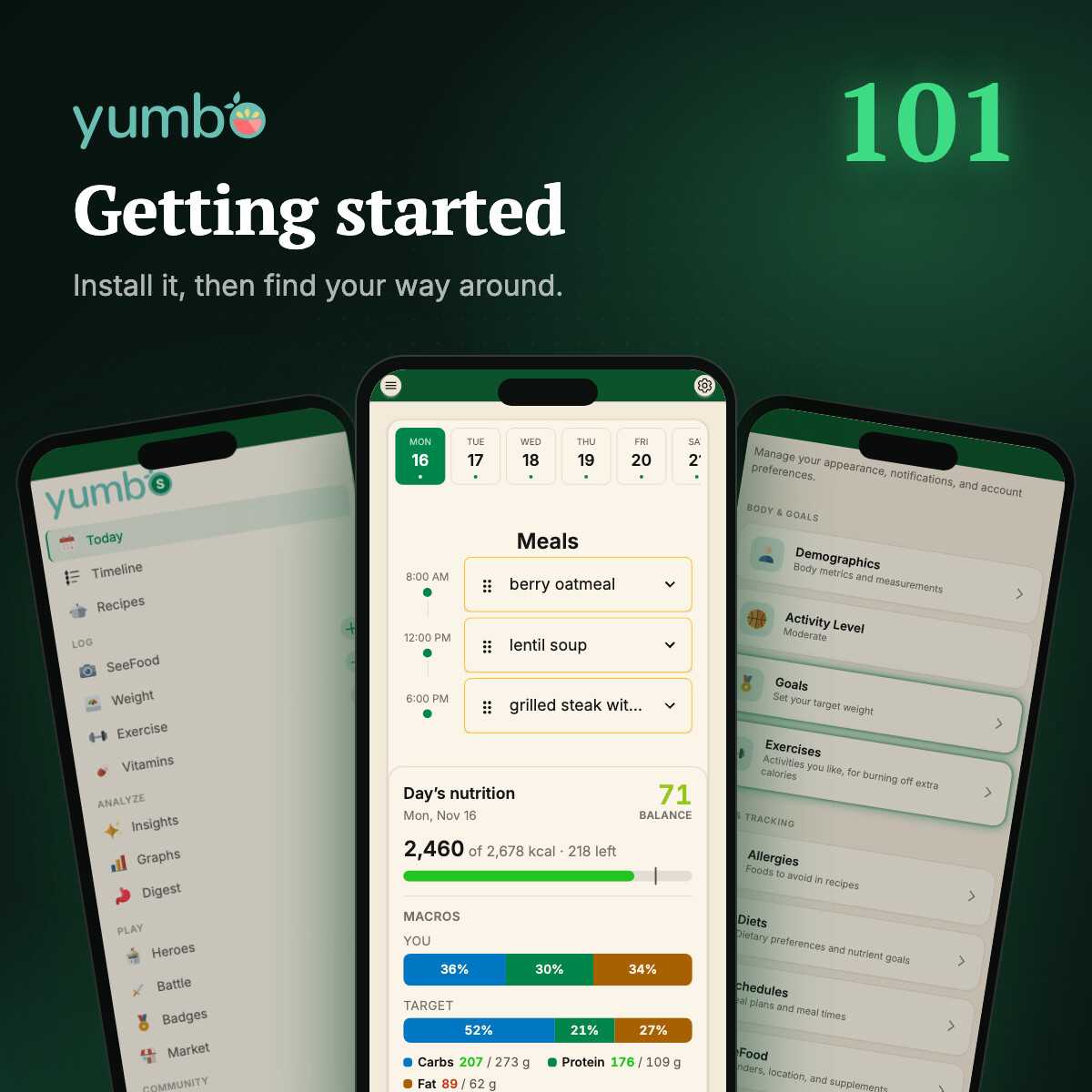
This is the first post in Yumbo 101, a short series for anyone just getting started. No nutrition science today. Just where Yumbo lives, how to put it on your phone, and how to get around once it's there.
Is Yumbo an app?
Yes. It just doesn't come from an app store. Yumbo runs in your browser, on your phone, tablet or computer. Go to yumbo.app, sign in, and you're using it. Nothing to download first, nothing to update later. When something new ships, you get it in real time as you're using the app without downloading any updates.
Why isn't it in the App Store or Play Store?
Because it doesn't need to be. Yumbo looks and behaves just like a native app.
If you'd rather tap an icon than type an address, you can still have that. Yumbo can be installed straight from the browser as a web app. It gets its own icon on your home screen, opens full screen without the browser bars, and can send you notifications, the same way an app from the store would.
Put it on your home screen
Here's how on the device you're reading this on. On an iPhone it walks you through Safari's Share menu. On Android or a computer you'll get an install button, or the steps for your browser if it doesn't have one.
Getting around
Every page in Yumbo has the same two panels on either side of it. On a phone you open them with a swipe.
- Swipe right to open the menu. It has every page: your Timeline, Calendar, SeeFood, Insights, your hero and the rest. Swipe left to close it.
- Swipe left to open Settings. Your body and goals, diets and allergies, meal times, notifications and theme all live here. Swipe right to go back to your page.
Prefer tapping? The menu button sits at the top left of the screen and Settings at the top right. On a computer the menu stays open down the left side, and the gear opens Settings.
That's all you need to find your way around. Next up, Yumbo 102: logging your meals with SeeFood.
Quest
5item150 XPAnswer all 3 questions to earn the reward.