

Guide
Yumbo 202: Plan your week
Fill your calendar ahead of time: search a recipe, snap or describe a meal, or let Emealio pick the dinner that balances your day best.
5 min read 5items280 XP
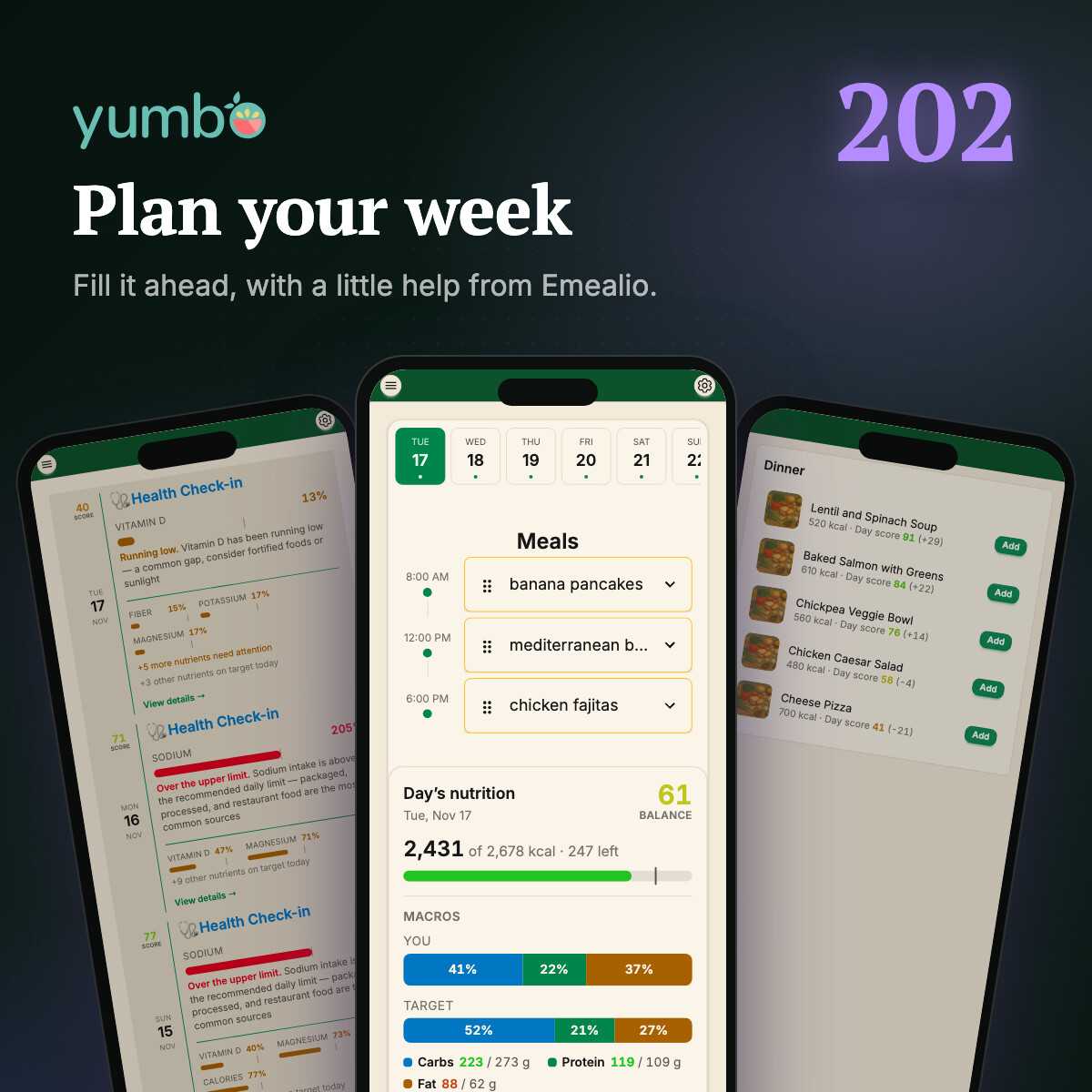
In Yumbo 201 you found a recipe, put it on your calendar and cooked it. One good dinner is a start. A week of them is a habit. This post is about the whole week: filling it in ahead of time, so the healthy choice is already made before you're hungry.
New to the calendar? Yumbo 103 covers the basics of Today. Here we go further.
Your week, one slot at a time
Today is a planner as much as a log. Each day has a slot for every meal time you set, and you can fill them for days that haven't happened yet. Swipe the date strip to move through the week, and tap a day to see its meals. Got your days mixed up? Drag a meal to move it.
Want different times, or a fourth meal for a snack? Open Settings (swipe left), then Schedules, and set your meal times. Every day's slots follow them.
Three ways to fill an empty slot
Tap an empty slot and it gives you three buttons:
- Search Recipe looks through every recipe right there in the slot. Pick one and it's in.
- SeeFood logs what you already ate. Snap a photo or pick one from your library. Forgot to take one? Just describe the meal in a few words, like "two eggs on toast and a coffee with milk", and SeeFood works it out the same way. Your favorites are there too, for the meals you eat all the time.
- Recommend me asks Emealio, Yumbo's nutrition guide, what to eat.
Recommend me: let Emealio pick
This is the one to try. Emealio looks at everything else you've eaten or planned that day, then lists up to five recipes that would round it out best. Each one comes with the day's balance score if you ate it, and how many points it adds or takes away. Low on fiber and protein so far? The lentil soup jumps to the top. Already had a heavy lunch? The pizza sinks to the bottom.
Tap Add and it's scheduled. It's the fastest way to plan a balanced day without doing any of the math yourself.
Plan the whole week on autopilot
Don't want to fill every slot by hand? Turn on the Meal Scheduler in Settings, under Schedules. Pick a day and a time, say Sunday evening, and every week at that time Yumbo fills next week's open slots for you. It picks with the same care as Recommend me: your calorie goal, your diets and allergies, the nutrients you've been short on lately, and enough variety that you're not eating the same chicken five nights in a row. Anything you've already planned stays put.
Don't like a pick? Swap it from the slot like any other meal. The plan is a starting point, not a rule.
Then check your plan before the week starts. In Insights, ask "Will my planned meals fix my gaps?" or "Will I hit my targets this week?" and Emealio reads the days ahead, not just the ones behind you.
Look back on the Timeline
Planning is half of it. The other half is seeing how it went. Timeline (in the menu, under Today) is your days in order, newest first: your meals and wins, and a Health Check-in for each day. Instead of a wall of numbers, each check-in calls out the one nutrient that most needs your attention, or the one you did best on when the day went well.
Read a few of these and you'll start planning around them. If sodium keeps getting called out, you'll know what to fix when you fill in next week.
Next up, Yumbo 203: your weight, your workouts and your vitamins, all in the same picture as your meals.
Quest
5items280 XPAnswer all 3 questions to earn the reward.