

Guide
Yumbo 203: Weight, workouts and vitamins
Log your weight, your workouts and your supplements, and see where your eating is taking you, how much of it a workout burns off, and what your vitamins add.
6 min read 5items290 XP
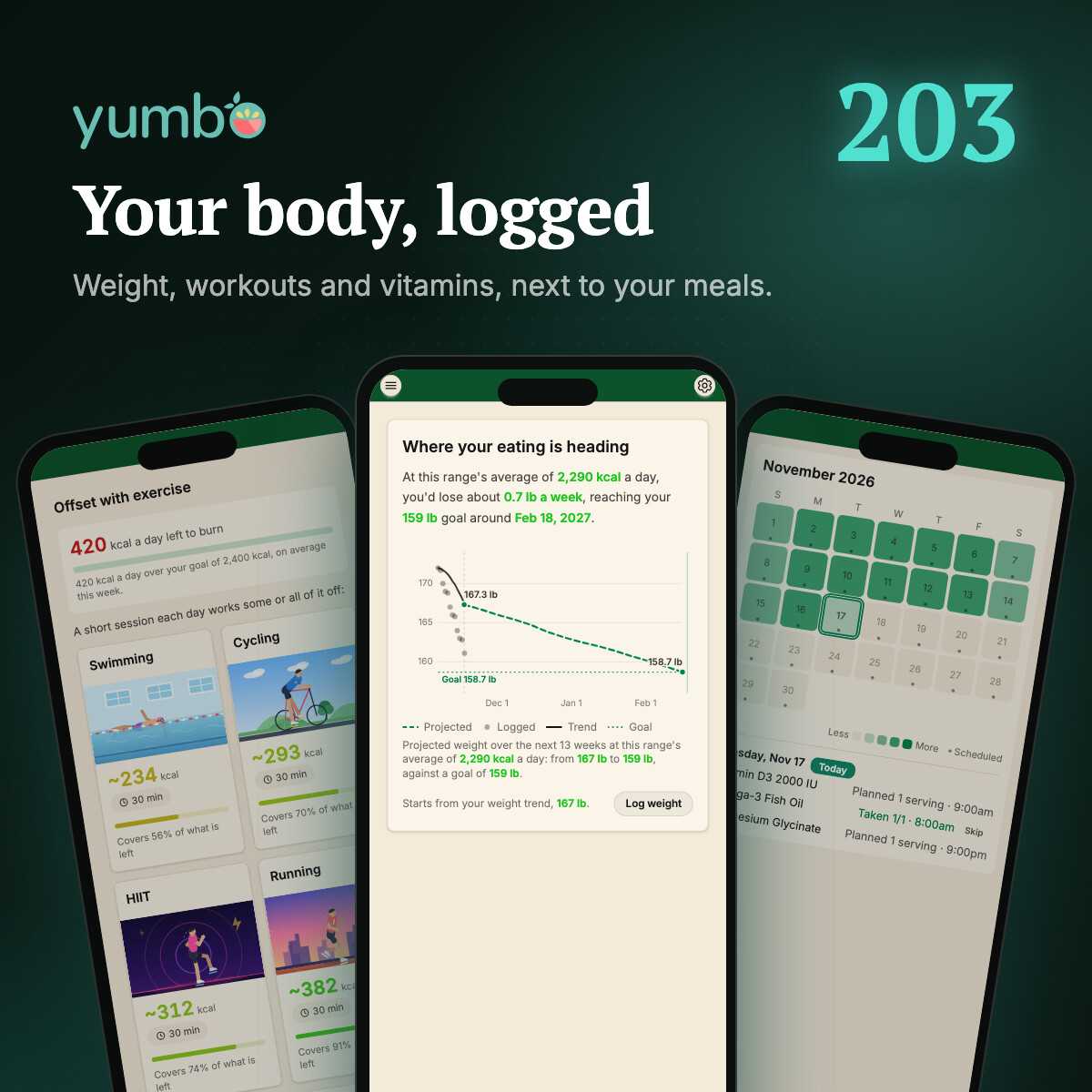
So far in this series you've found and cooked recipes and planned your week. That's what goes in. This post is about the rest of you: your weight, how much you move, and the vitamins you take. Log them in Yumbo and they land in the same picture as your meals, so you can finally see how it all connects.
All three live in the menu (swipe right), under Log, right below SeeFood. The small button beside Weight and Exercise logs one straight from the menu, without leaving the page you're on.
Weight: where your eating is heading
Open Weight and log a weigh-in. Slide the ruler to your number, change the day or time if it wasn't just now, and add a note if you like ("after the holidays"). Pounds or kilograms follow your Settings.
The best part is the Progress chart. It doesn't just draw your past weigh-ins. It takes the calories you've actually been eating and projects where your weight is heading if you keep eating that way. If you've set a goal, you see when you'd reach it.
This is the chart that keeps people honest. A heavy weekend shows up in the line before it shows up on the scale. A good week bends it back. Scale numbers bounce around day to day with water and salt, so don't panic over one weigh-in: the trend is what counts.
Under the chart, History lists every weigh-in with the change from the one before, green when it's toward your goal. And Reminders can nudge you to step on the scale: every morning, twice a week, weekly, monthly, or on your own days and time.
Exercise: burn off the difference
Exercise starts with a simple question: how far over your calories have you been this week, and what would burn it off? It suggests workouts sized to you, using your weight, so a 30-minute run reads in your calories, not someone else's. Pick which workouts it suggests in Settings, under Exercises.
To log a workout, pick what you did, which day, and how long. Tap minus or plus, slide, or tap a common length. No typing. As you change it, you see how many calories it burns and how much of your extra that covers.
Every workout lands on a calendar for the month. The more a day burned, the brighter it glows, so a quiet week is easy to spot.
Connect a health app
Already track your steps on your phone or watch? In Settings, under Health apps, connect Google Health. Your workouts, steps and heart rate come in by themselves, and Yumbo uses your real calories burned instead of an estimate. The Exercise page then charts what you ate against what you burned, day by day, and forecasts your weight from both.
Google will warn you first
The app is requesting access to sensitive info in your Google Account…
AdvancedBack to safetyContinue only if you understand the risks and trust the developer.
Go to yumbo.app (unsafe)Vitamins: the other half of your nutrients
If you take a multivitamin or vitamin D, your meals are only part of what you get. Without it, Yumbo might tell you you're low on something you actually cover with a pill every morning.
Open Vitamins and take a photo of the label (the camera or upload icon in the top bar). Yumbo reads the nutrients off the label for you. Check them, then set when you take it: every day, or only on the days you pick, with a different amount on some days if you need it.
From then on, your supplements count toward your daily nutrient totals, so a gap your meals leave is no longer a guess. Turn on reminders and you get a nudge when it's time to take them. The month calendar shows which days you took what:
One picture
Logged on its own, a weigh-in or a workout is just a number. Next to your meals, it's an answer. Ask Insights "Am I on track for my weight goal?" and Emealio uses all of it.
Free keeps your last 30 days of weight history and 7 days of activity. Premium keeps all of it.
Last in the series, Yumbo 204: making Yumbo yours, from your goals and diets to a weekly recap you lay out yourself.
Quest
5items290 XPAnswer all 3 questions to earn the reward.