

Guide
Yumbo 201: Find a recipe and cook it
Search thousands of recipes, see how each one fits your week before you eat it, put it on your calendar, then cook it step by step with timers.
5 min read 5items280 XP
Welcome to Yumbo 201. The 101 series covered the basics: getting around, logging a meal with SeeFood and making sense of your nutrition. Those tell you what you ate. The 201 series is about what you eat next: finding it, planning it, cooking it, and fitting it around the rest of your life.
We start in the kitchen. Recipes is in the menu (swipe right), right under Timeline.
Find a recipe
The top bar on Recipes is a search box. Type an ingredient, a dish or a craving and the list updates as you type. Next to it is the Filters button. It narrows the list by cuisine, by kind of meal, and by nutrition: drag a slider to cap the carbs, set a floor for protein, or keep sodium under a limit. A small badge on the button counts the filters you have on, and Clear takes them all off.
You don't need filters to stay safe. The list already follows the diets and allergies in your Settings, so a recipe with one of your allergens never shows up. If you follow a diet with daily targets, like DASH or Mediterranean, the list also leans toward recipes that help with the nutrients you've fallen furthest behind on this week.
See how it fits before you eat it
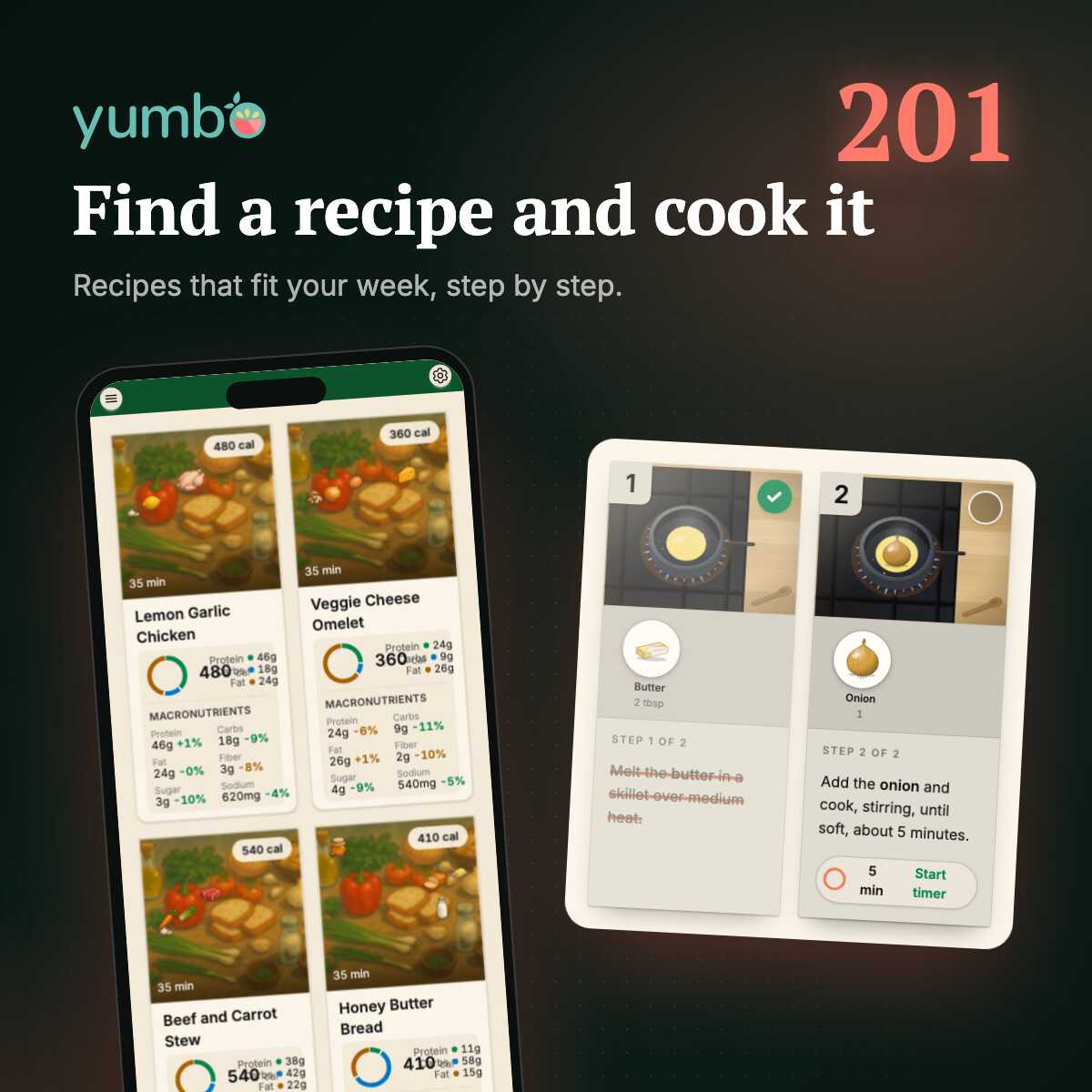
Every card shows the calories, the time it takes, and the protein, carbs and fat. Under that, the most useful part: how eating it would change your week. Yumbo compares the recipe with the meals you logged in the last seven days, nutrient by nutrient. A green percent means it would move your average in a good direction, like more fiber or less sodium. An orange one means the opposite.
Tap a card for the full picture: a check against your diets, the vitamins and minerals it brings, and a link to the recipe page with the ingredients, the full nutrition label and the steps. On the label, slide the servings or type the weight you'll actually eat, and every number follows.
Put it on your calendar
Found one you like? Tap the calendar icon on the recipe, Schedule this meal. Pick a day in the next week, then tick the meal slots you want it in. Your picks stay ticked as you move between days, so you can line up the same dinner for Monday and Thursday in one go. Slots that are already in the past, or already have a meal, are grayed out.
Scheduled meals show up on Today, in their slot, ready to open when it's time to cook. We'll do a lot more with the calendar in Yumbo 202.
Cook it, one step at a time
Open a recipe and scroll to the steps. Each one is its own card, with a short animation of what to do, the ingredients that step needs and how much of each. You never have to scroll back up to the ingredient list with flour on your hands.
Tap a card to tick the step off. If a step has a time in it, like "simmer for 10 minutes", its card has a timer. Nothing starts on its own: press Start when you're ready. Timers keep going while you scroll, chime when they're done, and you can pause one or add a minute. Try it on a short pasta:
The animations are drawn from the recipe's words, so now and then one might not match. The written step is always the one to follow. Tick off the last step on a real recipe and Yumbo offers to log the meal for you, so dinner goes straight into your day.
Make it a habit
The trick to eating better isn't one perfect recipe. It's having a few good ones you like enough to make again. Check the percents on the card, schedule the ones that pull your week the right way, and cook them until you don't need the steps anymore.
Next up, Yumbo 202: planning your whole week, with a little help from Emealio.
Quest
5items280 XPAnswer all 3 questions to earn the reward.